Merchant Advice Codes and Failed Payment Recovery Sep 2026
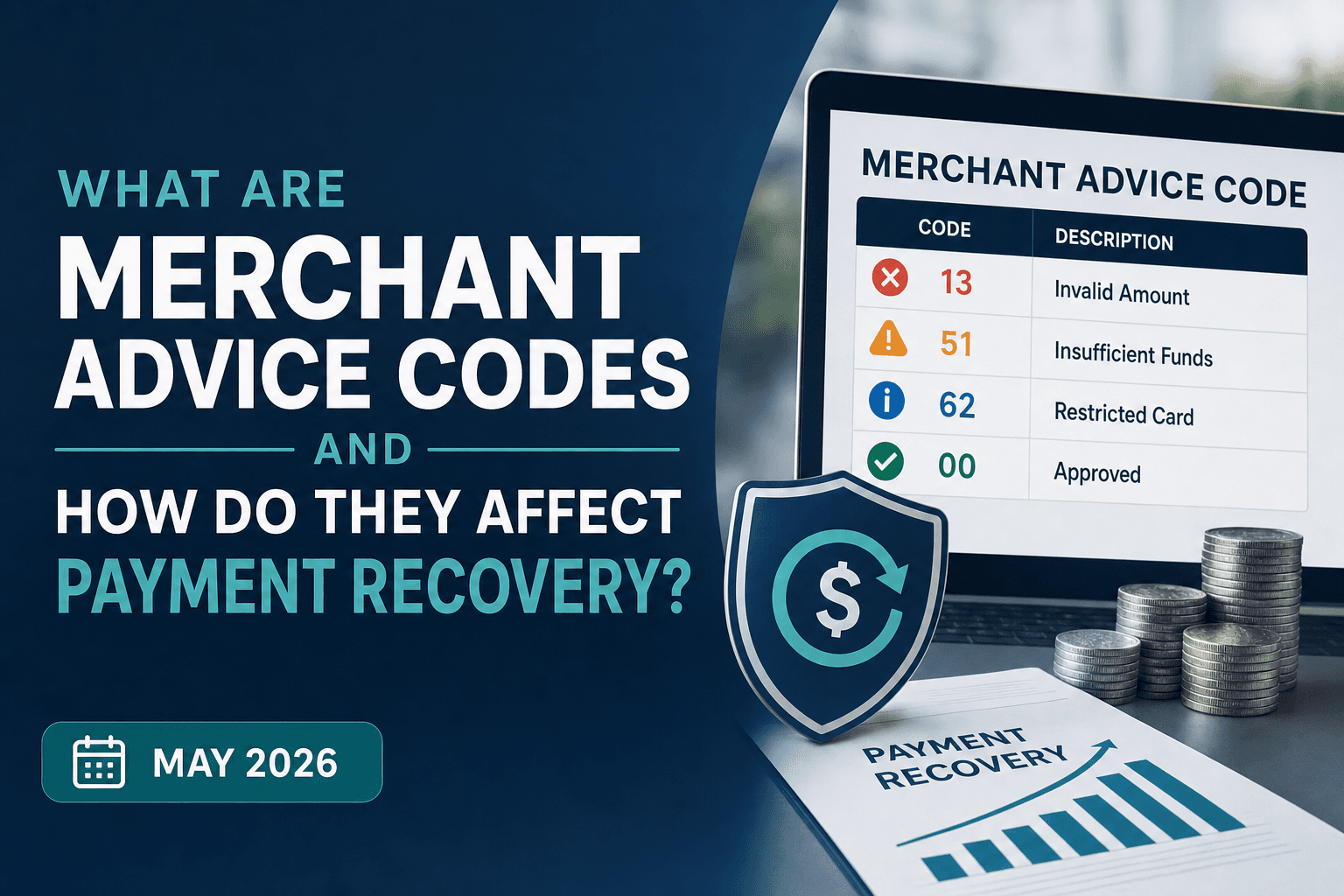
Your payment gateway receives visa response codes and merchant advice codes with every declined authorization. One identifies why the transaction failed. The other tells you what to do about it: retry later, cancel the subscription, or request updated card details. The data arrives in milliseconds, gets written to a log file, and rarely connects to any decision logic. Without routing MAC 03 to a hard stop and MAC 02 to a delayed retry queue, you're guessing at timing. Guessing means retrying too soon on insufficient funds, too late on expiring dunning windows, or too many times on fraud blocks that trigger network penalties. A Visa response code 83 (a fraud and security violation hard decline) paired with MAC 03 is exactly this scenario: the network has flagged the transaction, retrying is prohibited, and every additional attempt accrues a penalty fee of up to $0.50. The instructions are already there; the question is whether your retry logic acts on them.
TLDR:
- Merchant advice codes (MACs) tell you whether to retry, wait, or cancel after each decline
- Ignoring MACs costs $0.03-$0.50 per excess retry; Mastercard fees jumped 400% since 2022
- Code 51 with MAC 02 recovers after 2-3 days; Code 05 with MAC 03 burns retries and raises fraud risk
- Most billing systems receive MAC data but never route it to retry logic
- Slicker layers MAC guidance with card type and issuer behavior to recover 25% of "never retry" declines
What Are Merchant Advice Codes?
When a recurring payment gets declined, the issuing bank sends back more than a rejection. It includes guidance on why the payment failed and, in many cases, what should happen next. Merchant advice codes (MACs) are standardized signals embedded in authorization responses that tell merchants the optimal action to take after a decline.
Mastercard introduced MACs primarily to reduce unnecessary retry traffic on their network. Without guidance, merchants retry blindly on card-not-present recurring transactions. MACs cut through that noise by indicating whether to retry immediately, wait a specific number of days, or stop retrying altogether.
How Merchant Advice Codes Work in Transaction Processing
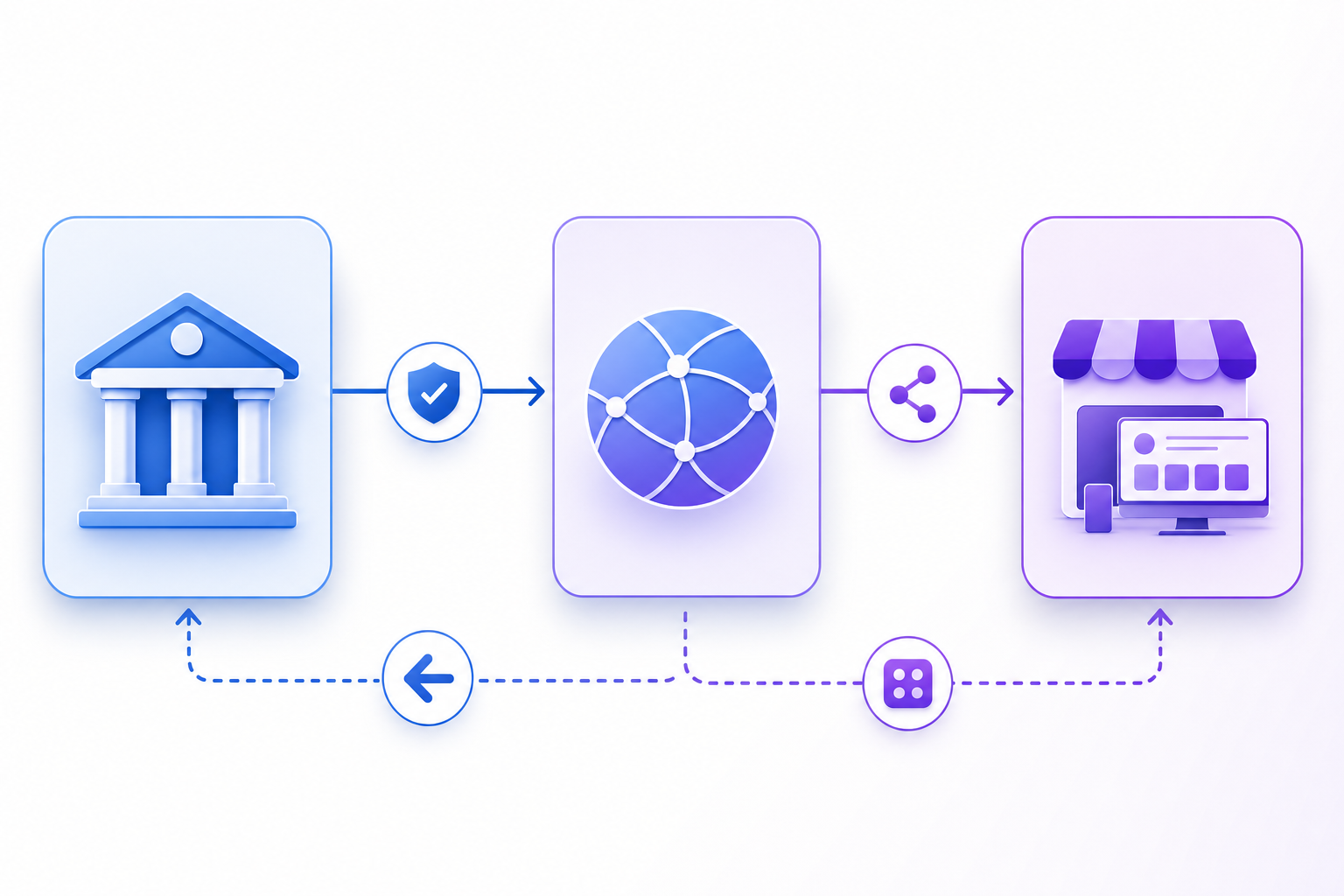
When a card transaction is declined, the issuing bank returns an authorization response code to the payment network, which then forwards a merchant advice code (MAC) to the merchant. These codes travel through the processing chain in milliseconds, carrying instructions the issuer wants you to act on. MACs sit on top of standard decline codes and tell you more than just that a transaction failed; they tell you what to do next: retry, cancel the subscription, or contact the cardholder.
The Complete List of Mastercard Merchant Advice Codes
Mastercard's merchant advice codes cover all currently published production codes that processors return alongside decline responses. Each code tells you why a transaction failed and what action to take next.
Code | Description | Recommended Action |
|---|---|---|
01 | New account information available | Update card details via account updater |
02 | Cannot approve at this time, try later | Retry after a waiting period |
03 | Do not try again | Cancel the subscription |
04 | Token requirements not fulfilled for this token type | Update token or request a new payment method |
05 | Negotiated value not approved | Contact issuer or adjust transaction terms |
21 | Payment cancellation | Stop all retry attempts immediately |
22 | Merchant does not qualify for product code | Contact issuer; do not retry with same product code |
24 | Retry after 1 hour (Mastercard use only) | Queue retry for 1 hour from decline time |
25 | Retry after 24 hours (Mastercard use only) | Queue retry for 24 hours from decline time |
26 | Retry after 2 days (Mastercard use only) | Queue retry for 2 days from decline time |
27 | Retry after 4 days (Mastercard use only) | Queue retry for 4 days from decline time |
28 | Retry after 6 days (Mastercard use only) | Queue retry for 6 days from decline time |
29 | Retry after 8 days (Mastercard use only) | Queue retry for 8 days from decline time |
30 | Retry after 10 days (Mastercard use only) | Queue retry for 10 days from decline time |
40 | Consumer non-reloadable prepaid card | Request an alternate payment method from the cardholder |
41 | Consumer single-use virtual card number | Request updated card details; virtual card cannot be reused |
43 | Consumer multi-use virtual card number | Notify cardholder that a multi-use virtual card is on file; request a permanent card number if the virtual card has expired or been deactivated |
Visa Response Codes and Category Classifications
Visa groups its response codes into four broad categories: approval, referral, decline, and error. Within declines, the split between soft and hard decline codes determines whether a retry is worth attempting.
The most common Visa response codes include 00 (approved), 05 (do not honor, soft decline), 51 (insufficient funds, soft decline), 57 (transaction not permitted, hard decline), 59 (suspected fraud, hard decline), and 83 (fraud/security violation, hard decline). Codes 57 and 59 should trigger immediate customer outreach instead of automated retries, since the issuer is signaling a policy or fraud block instead of a temporary funding gap.
Understanding Authorization Response Codes vs. Merchant Advice Codes
Response codes identify the failure reason. MACs prescribe the recovery action. That distinction is what separates a structured retry strategy from guesswork.
A code 51 decline (insufficient funds) can arrive with MAC 24 (retry in 24 hours), MAC 27 (retry in 72 hours), or MAC 30 (retry in 10 days), depending on what the issuer signals. Same failure reason, three very different retry windows.
Without the MAC, you're guessing at timing, which means retrying too soon, frustrating the issuer, and accumulating retry fees.
The Financial Cost of Ignoring Merchant Advice Codes
Under the Mastercard Transaction Processing Excellence (TPE) program, Mastercard charges a fee for every retry submitted after receiving MAC 03 or MAC 21 within a 30-day lookback window. That fee has climbed from $0.10 per excess authorization in 2022 to $0.50 by January 2025, with regional variation ranging from $0.03 to $0.50 per transaction. The TPE program also governs processing behavior more broadly: merchants who show persistent non-compliance with MAC guidance can face escalating review and additional scheme-level remediation requirements beyond per-transaction fees.

Visa runs a similar program. Exceed 15 retry attempts in 30 days for certain decline categories, and you're looking at $0.10 per domestic transaction and $0.15 per international one in excess reattempt fees.
Both networks enforce these penalties over a rolling 30-day lookback window. Mastercard applies its fees to any retry submitted after MAC 03 or MAC 21; Visa's threshold is 15 retry attempts on certain decline categories, with fees of $0.10 domestic and $0.15 international per excess attempt. The networks designed these penalties to protect authorization quality across their infrastructure. When merchants flood the network with retries on fraud-flagged or cancelled cards, everyone's authorization rates suffer. The fees are a signal: respect the guidance, or pay for the noise you're creating.
How Merchant Advice Codes Reduce Involuntary Churn
For subscription businesses, involuntary churn from failed payments is one of the most preventable sources of revenue loss. Merchant advice codes give you a direct signal from the card networks about why a transaction failed and, more importantly, what to do next.
Instead of treating every decline the same way, you can act on the specific guidance embedded in each code. Retry when timing is the issue. Cancel when the card is flagged as fraudulent. Update payment details when the account has changed.
That targeted response is what turns a passive recovery approach into an active one.
Common Decline Codes and Their Merchant Advice Code Pairings
Not every decline is the same, and treating them as if they were is one of the most expensive mistakes in subscription billing.
The Most Common Code Pairings
- Code 05 with MAC 03 signals the issuer has flagged the account, and retrying burns retry attempts while increasing fraud exposure.
- Code 51 with MAC 02 is recoverable with the right retry cadence, often resolving within days once a paycheck clears. See the full Code 51 insufficient funds recovery playbook for timing specifics.
- Code 54 pairings almost always require an account updater or dunning outreach instead of a raw retry.
Implementing MAC-Based Retry Logic in Payment Systems
Most billing systems receive MAC data in authorization responses without routing it to any retry logic. The implementation gap is that common: the guidance arrives, gets logged, and goes ignored.
The fix is a conditional layer mapped directly to each code. MAC 03 and MAC 21 trigger a hard stop with no further attempts. MAC 02 queues an adaptive retry schedule after 48 hours. MAC 01 fires an account updater request before any retry runs. Each code needs a defined outcome, or the network's guidance is useless.
"The data is already there. The problem is the action layer that should follow it."
Gateway integrations vary. Some processors surface MACs natively in response fields; others bury them in extended data objects that require parsing. Whichever the case, your retry engine should parse and act on this data automatically, not route it to a manual review queue.
The Difference Between Merchant Advice Codes and Merchant Category Codes
MACs (Merchant Advice Codes) and MCCs (Merchant Category Codes) both appear in payment processing conversations, but they operate in entirely separate layers of the payment stack.
MCCs are four-digit codes that classify what type of business you run. Code 5411 identifies grocery stores; 7399 covers business services. Issuers use these classifications to set interchange rates, determine rewards eligibility, and flag restricted transaction categories. They describe your company to the network before a transaction even attempts authorization.
MACs are post-decline guidance codes that prescribe recovery actions after a transaction fails. One identifies your business. The other tells you what to do when a payment gets rejected. Same abbreviation structure, entirely different function; searching for the wrong one will cost you time.
Smart Retry Strategies That Go Beyond Basic MAC Compliance
Following MACs is the floor, not the ceiling. MAC 02 creates retry loops when subsequent attempts return the same code, and ten-day retry windows can outlast your dunning period entirely, recovering nothing after the subscription is already cancelled. Handling these edge cases without burning attempts or accruing fees requires layering MAC guidance with issuer behavior data and subscriber-level signals.
Even MAC 03 carries nuance. Policy blocks get lifted. Fraud flags get resolved. A rigid no-retry rule misses those recoveries.
Intelligent systems layer MAC guidance with additional signals before making a recovery decision:
Recovery Approach | Basic MAC Compliance | Slicker's Intelligent MAC Approach |
|---|---|---|
MAC 02 (retry later) handling | Wait exactly as prescribed, even if 10-day window exceeds dunning period; miss recovery opportunity when subscription cancels at day 5 | Find optimal retry window within dunning constraints; balance MAC guidance against subscription lifecycle to maximize recovery before cancellation |
MAC 03 (never retry) handling | Hard stop with zero retry attempts; leave 25% of recoverable revenue on the table | Layer issuer behavior data and card type signals; identify the 25% of MAC 03 cases that recover under specific conditions while avoiding penalty fees |
Infinite loop protection | No safeguards; retry hourly when MAC prescribes it, accumulate fees on circular guidance | Track MAC response patterns; break retry loops when same MAC returns repeatedly; escalate to dunning outreach instead of burning attempts |
Retry timing precision | Follow network windows blindly; ignore subscriber-specific patterns like payday cycles or issuer-specific approval windows | Combine MAC windows with payday timing, issuer approval patterns, card product type, and historical recovery data by bank to pinpoint highest-probability attempt timing |
Network penalty risk | Manual monitoring required; risk $0.03-$0.50 per transaction fees when logic errors cause MAC 03 or MAC 21 violations | Built-in guardrails prevent penalty-triggering retries; stay under Mastercard and Visa thresholds while maximizing safe recovery attempts |
- Historical recovery rates by issuing bank and card product
- Payday timing relative to the attempt date
- Card type (consumer debit vs. corporate credit)
- Geography and payday timing relative to the attempt date
- Transaction amount relative to typical account activity
- Prior retry outcomes for that specific customer
How Slicker Uses Merchant Advice Codes to Maximize Payment Recovery
Slicker treats merchant advice codes as strong signals, not hard rules. The system respects Mastercard and Visa penalty thresholds to stay clear of excess retry fees, but the recovery logic builds on that foundation instead of stopping at it.
When a MAC prescribes a 10-day retry window but your dunning period expires in five, Slicker's AI pinpoints the optimal attempt within that constraint. When MACs signal "never retry," our data shows roughly 25% of those transactions still recover under the right conditions, something a rigid compliance-only approach will always leave on the table.
An ensemble of AI models weighs MAC guidance alongside card type, issuer behavior, and subscriber history to find the highest-probability recovery window for each individual transaction.
Final Thoughts on Maximizing Recovery With Merchant Advice Codes
The card networks send merchant advice codes with every decline to cut down on blind retries and protect authorization quality across their infrastructure. Following that guidance keeps you out of penalty territory, but pairing it with issuer behavior data and transaction history is what turns compliance into real recovery gains. Your billing system already receives the codes, the question is whether your retry logic acts on them.
Talk to us about turning MAC data into measurable revenue recovery.
FAQ
What's the difference between merchant advice codes and standard decline codes?
Decline codes tell you why a payment failed, while merchant advice codes tell you what to do next. A code 51 decline (insufficient funds) can arrive with different MACs prescribing retry windows of 24 hours, 72 hours, or 10 days, depending on the issuer's guidance.
Can I retry a transaction after receiving MAC 03 or MAC 21 from Mastercard?
No, retrying after MAC 03 or MAC 21 triggers excess authorization fees that now reach $0.50 per transaction as of January 2025. These codes signal hard stops like fraud flags or card cancellations where retries damage your authorization rates and cost you money.
Mastercard merchant advice codes vs Visa response codes: which should I focus on?
Both matter, but they operate differently. Mastercard MACs provide explicit retry guidance (MAC 02, MAC 03), while Visa uses category-based response codes (05, 51, 57) that require interpretation. Your retry engine should layer both signals to avoid network penalties and maximize recovery.
How much do excess retry fees actually cost at scale?
Visa charges $0.10 domestic ($0.15 international) per retry beyond 15 attempts in 30 days on certain decline categories. Mastercard's fees range from $0.03 to $0.50 per transaction when ignoring MAC 03 or MAC 21 guidance. At 10,000 monthly declines with a 20% violation rate, you're looking at $2,000-$10,000 monthly in avoidable fees.
Should I always follow MAC 02 retry timing recommendations?
Not blindly. MAC 02 creates recovery gaps when the prescribed 10-day window outlasts your dunning period. Roughly 25% of "never retry" transactions still recover under specific conditions involving card type, issuer behavior, and payday timing. The optimal approach layers MAC guidance with ML models trained on your actual recovery patterns by issuing bank, geography, and subscriber history.
How does AI-powered payment retry logic work for subscription businesses?
AI-powered retry logic replaces fixed schedules with a decision engine that scores each declined transaction individually. Instead of waiting a flat 48 or 72 hours after every MAC 02, the system scores each attempt against variables like card type (consumer debit vs. corporate credit), issuing bank approval patterns, payday timing relative to the decline date, subscriber payment history, and the specific MAC returned. An ensemble of models then selects the highest-probability retry window, one that respects Mastercard and Visa network thresholds to avoid excess retry fees while maximizing recovery within your dunning period. For MAC 03 declines that a rules-only system would hard-stop, the AI identifies the subset where issuer behavior data suggests recovery is still viable, typically around 25% of those cases, before deciding whether to attempt or escalate to dunning outreach instead.
How do I set up smart payment retries based on merchant advice codes without engineering work?
Native billing platforms like Stripe Billing, Chargebee, and Recurly surface MAC data in authorization responses, but routing that data to conditional retry logic typically requires custom development. Slicker connects to your existing billing infrastructure and applies MAC-based retry rules out of the box with no engineering required. MAC 03 and MAC 21 trigger automatic hard stops, MAC 02 queues a smart retry within your dunning window, and MAC 01 fires an account updater before any attempt runs. The logic is applied at the transaction level from day one, without touching your payment stack.
How do Slicker retries work alongside Stripe Billing, and what do I need to align to avoid conflicts?
The key risk when layering Slicker on top of Stripe Billing is duplicate retry attempts: Stripe's own Smart Retries and dunning schedule running in parallel with Slicker's MAC-driven logic. To avoid this, Stripe Billing's automatic retry settings should be disabled or set to a minimal fallback cadence so Slicker controls the retry schedule end-to-end. Slicker's integration reads Stripe's webhook events (invoice.payment_failed, charge.failed) to detect declines and extract the MAC and authorization response code returned in the charge object. From there, Slicker applies the appropriate MAC-based action (hard stop, timed retry, or account updater trigger) within your dunning window, without Stripe firing a competing attempt. The configuration checklist: turn off Stripe Smart Retries, set Stripe's maximum retry count to 0 or 1 (as a last-resort catch), and confirm that Slicker's webhook endpoint is registered and receiving charge.failed events before going live.
How does delta-based (incremental recovery) pricing work, and why is it fairer than percentage-of-recovery models?
Most payment recovery vendors charge a percentage of every successfully collected payment they touch, including payments you would have recovered anyway through your existing retry logic or Stripe Smart Retries. Delta-based pricing, which is how Slicker charges, measures only the incremental recovery Slicker produces above your baseline. Your baseline is set through AABB split testing: a control group runs under your existing setup while Slicker handles the test group. The delta is the difference in recovered dollars between the two cohorts, and that's what Slicker's fee is calculated against. For businesses that already recover 30-40% of failed payments on their own, this distinction matters: a percentage-of-recovery model would charge on all 30-40% plus whatever Slicker adds, while delta pricing only charges on the uplift Slicker actually drives. The result is a fee structure that's directly tied to provable incremental revenue, not gross collections.
What metrics should a SaaS revenue operations team track to measure involuntary churn recovery?
The core recovery metrics are payment recovery rate (the percentage of failed payments that successfully collect within your dunning window), involuntary churn rate (subscribers lost due to payment failure instead of voluntary cancellation), and recovered MRR by decline code category. Beyond those, track retry attempt yield: recovered dollars per retry attempt, to catch cases where excess attempts are accumulating network penalty fees instead of driving revenue. Segmenting recovery rate by MAC category (MAC 02 soft declines vs. MAC 03 hard stops) reveals whether your retry logic is correctly separating recoverable from unrecoverable failures. A benchmark worth targeting: well-tuned MAC-aware systems measurably outperform fixed-schedule retry logic operating on the same transaction volume, with material revenue differences compounding over time.
Related Articles
CFO-Grade Failed Payment Recovery ROI Model Sept 2026
There's a revenue number sitting inside your billing data that most finance teams never model correctly. It's the incremental lift from better payment...

Recurly Revenue Recovery Tactics That Win (Sep 2026)
Forty percent of lost subscribers across subscription businesses never decided to leave. Their card expired, their bank blocked a charge, or a billing...

Zuora Retry Logic: CPR Limits and Layering (September 2026)
There's a version of Zuora retry logic that works well, and a version that looks fine in the settings but quietly misfires on soft declines, closes invoices...
Stop losing revenue to failed payments
Join leading subscription businesses using Slicker to recover failed payments automatically.
Get Started