Merchant Advice Codes: Retry Guide (June 2026)
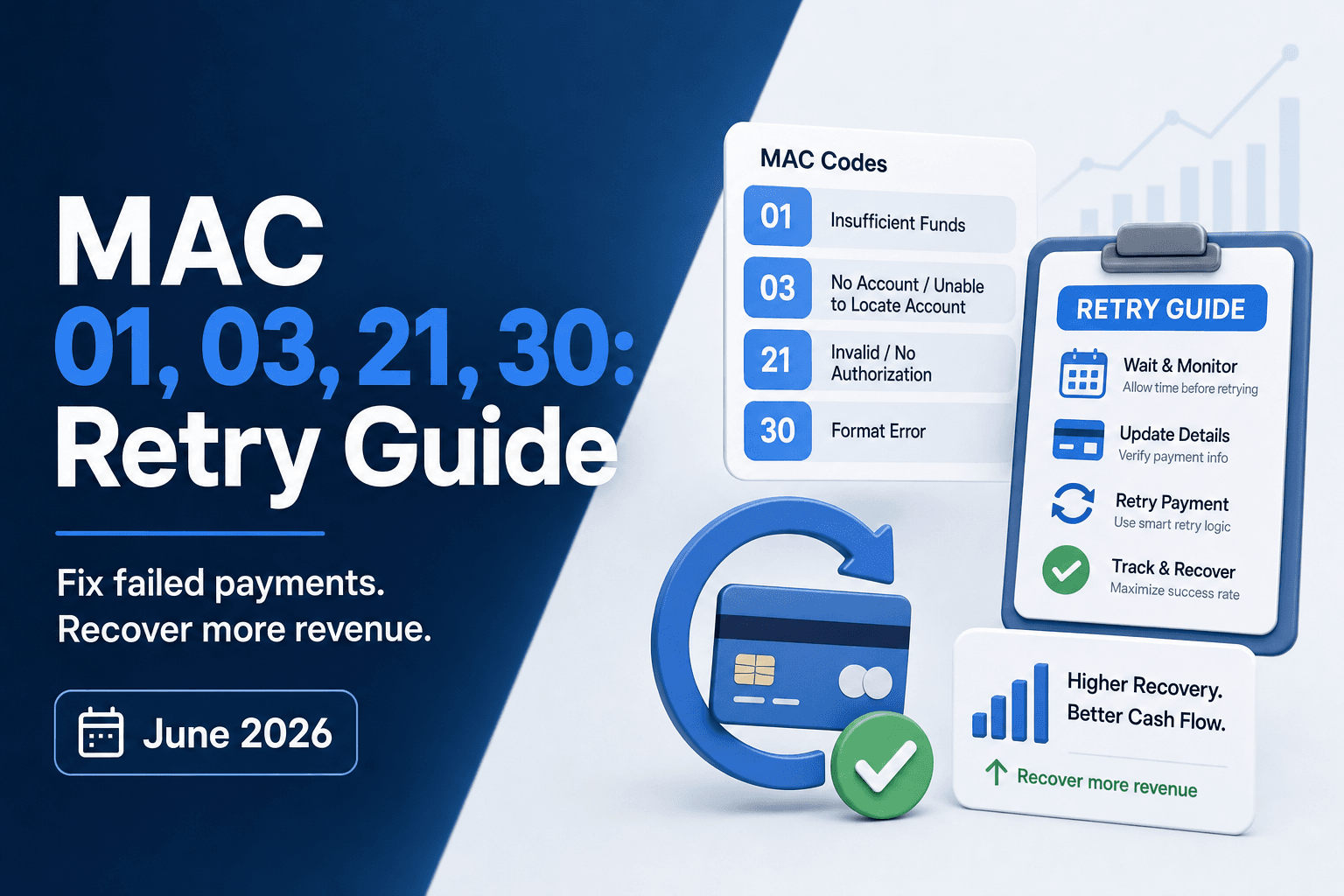
A payment declines, and your billing system sees both a response code and a Mastercard advice code in the authorization message. The response code tells you the transaction failed. The MAC tells you what to do about it. MAC 03 means do not retry, and Mastercard enforces that with escalating fees. MAC 21 carries the same prohibition. MAC 01 signals the issuer has updated account information ready, which means your retry should route through account updater first. MAC 30 and the timing variants (24, 25, 26, 27, 28, 29) give you a concrete wait window tied to billing cycles or funding events. For subscription businesses managing retry logic at scale, reading merchant advice codes correctly determines whether you recover lost revenue or trigger network penalties that wipe out the margin you were trying to protect.
TLDR:
- MAC 03 and MAC 21 trigger Mastercard penalty fees starting at $0.10 per retry, escalating to $0.50 or more.
- Exceeding the 35% retry cap on any BIN for two consecutive 30-day windows enrolls you in the TPE program at $0.25 per excess transaction.
- MAC timing codes (24-30) specify exact retry windows, from 1 hour (MAC 24) to 10 days (MAC 30).
- Ignoring MAC guidance burns retry attempts and accelerates customers toward involuntary churn with no recovery upside.
- Slicker interprets MACs as one input in a broader AI retry decision, respecting network rules while testing issuer-specific patterns to avoid revenue leak.
What Are Merchant Advice Codes and Why They Matter for Recurring Payments
Merchant advice codes (MACs) are standardized numeric codes that card networks attach to certain payment declines. When an issuer rejects a transaction, the MAC tells the merchant's system two things: that the payment failed, and what to do next (retry immediately, wait, update card details, or stop attempting entirely).
For subscription businesses, this distinction matters. Retrying a payment that carries a "do not retry" code wastes processor spend and risks account suspension under network retry rules.
How Merchant Advice Codes Work: The Authorization Response Flow
When a card transaction is submitted, the issuing bank returns an authorization response that includes both a response code and, in some cases, a merchant advice code (MAC). The response code tells you whether the transaction was approved or declined. The MAC tells you what to do next.
MACs are returned in the authorization response message, typically in field DE 48 (subelement 84) for Mastercard transactions. Not every decline includes one, but when a MAC is present, it carries specific issuer guidance on retry eligibility.

Where MACs Fit in the Response
The flow runs in this order:
- The merchant or payment processor submits an authorization request to the card network.
- The network routes it to the issuing bank for approval.
- The issuer returns a response code (approved, declined, referral) along with any applicable MAC.
- The MAC, when present, governs whether and how soon a retry is permitted under network rules.
Ignoring that final step is where retry logic breaks down. A retry submitted against a hard-stop MAC can trigger network violation fees and, at volume, puts your merchant ID at risk.
MAC 01: Updated Information Needed (Account Updater and 3DS Requirements)
MAC 01 tells you the cardholder's account information has changed. The issuer wants you to update your records before retrying, whether through Account Updater or 3D Secure re-authentication.
Two paths apply here:
- If the card number or expiration date changed: enroll in Mastercard Automatic Billing Updater (ABU) or Visa Account Updater (VAU) to pull the refreshed credentials before your next charge attempt.
- If the issuer requires stronger authentication: run the transaction through 3DS before retrying. Skipping this step typically produces another decline.
Retrying a MAC 01 without taking either action wastes an attempt and can accelerate the card toward a hard decline.
MAC 03 and MAC 21: Do Not Retry Codes and Penalty Fees
MAC 03 (Do Not Try Again) and MAC 21 (Stop Recurring Payment) are the two codes that carry real financial consequences if ignored. Both signal that the issuer wants no retry attempt on that transaction. Mastercard enforces this through a fee structure that escalates with each violation.
Here is how the penalty tiers work:
- The first retry violation within 30 days typically incurs a fee around $0.10 per transaction.
- Subsequent violations in the same window can reach $0.50 or more per transaction.
- At high retry volumes, these fees compound fast enough to wipe out recovered revenue entirely.
MAC 03 usually appears when the issuer has flagged a specific account-level problem, such as fraud or a closed account. MAC 21 is broader, covering a general refusal without a specific cause stated, but the retry prohibition is equally firm.
The distinction that matters for retry logic is this: neither code is a soft decline. Retrying either one is not a timing problem you can solve by waiting a few hours. The payment will not succeed on a retry, and each attempt adds to your fee exposure. Any retry engine worth running must treat MAC 03 and MAC 21 as hard stops, routing those transactions out of the retry queue immediately and flagging them for customer outreach instead.
MAC 30 and Retry Timing Codes: When to Attempt Recovery (24, 25, 26, 27, 28, 29, 30)
MAC 30 is the code issuers send when they want you to wait before retrying a declined transaction. Instead of guessing at timing, the network hands you a concrete signal to stand down for now. The related timing codes (24 through 29) get more specific, pointing to particular retry windows tied to billing cycles, account reviews, or funding events.

Here is how each code maps to retry behavior:
- MAC 24: Retry after 1 hour (temporary failure or blockage)
- MAC 25: Retry after 24 hours (typically tied to daily velocity limits or temporary issuer-side blocks).
- MAC 26: Retry in 2 days, often issued when an account is under short-term review.
- MAC 27: Retry in 4 days
- MAC 28: Retry in 6 days
- MAC 29: Retry in 8 days
- MAC 30: Retry in 10 days
Respecting these windows matters beyond compliance. Retrying outside the signaled window risks triggering excessive retry fees and can push the issuer toward a harder decline on subsequent attempts, reducing your odds of recovery on an otherwise recoverable account.
MAC 02: Try Again Later (Balancing Network Guidance with Dunning Windows)
MAC 02 signals a temporary hold. The issuer is asking you to wait before retrying. The card is not blocked, the account is not closed, and no fraud flag has been raised. This is a soft decline scenario. The decline is a timing problem, not a relationship problem.
The practical challenge is that MAC 02 arrives without a specific wait time. Most issuers expect a retry gap of 24 to 72 hours, though the right window varies by issuer and geography. Card networks penalize merchants who retry too aggressively. Precise timing is critical.
Retrying too early burns retry attempts and risks triggering stricter decline codes down the line.
Mastercard MAC Penalty Economics: Transaction Processing Excellence Fees
Mastercard's Transaction Processing Excellence (TPE) program converts chronic MAC misuse into direct financial penalties. When a merchant's retry volume on a given BIN (Bank Identification Number) exceeds the 35% retry cap over a 30-day rolling window, Mastercard assesses a TPE fee of $0.25 per excessive transaction. Those fees compound fast at scale. A subscription business sending 100,000 excess retries in a month faces $25,000 in penalties before any dispute resolution.
The TPE program has three escalation tiers. Merchants who breach thresholds repeatedly move from warning to monitored status to full program enrollment, each step adding fee exposure and issuer scrutiny.
What Triggers TPE Enrollment
- Exceeding the 35% retry cap on any BIN for two or more consecutive 30-day windows puts a merchant into active monitoring.
- Continued breaches after a warning letter result in TPE program enrollment, where the $0.25 per-transaction fee applies retroactively to all excess volume in that window.
- Merchants in the program receive monthly scorecards from their acquirer, but by the time a scorecard arrives, the fee liability has already been incurred.
Getting ahead of TPE exposure means reading MAC responses in real time and stopping retries the moment a code signals the issuer will not approve further attempts.
Visa Decline Categories vs Mastercard MACs: Understanding Network Differences
Visa and Mastercard handle decline guidance differently, and mixing up their logic can cost you recoverable revenue.
Visa organizes declines into broad response codes with limited retry guidance baked in. Mastercard's approach is more prescriptive: the MAC system layers actionable retry instructions directly on top of the raw decline code, telling you both that a payment failed and what to do next.
The practical gap shows up in retry decisions. A Visa decline at reason code 51 (insufficient funds) gives you a signal but no explicit timing window. The equivalent Mastercard decline paired with MAC 30 tells you to wait and retry after 10 days, removing the guesswork entirely.
For subscription businesses running retries across both networks, your retry logic should be network-aware. Applying Mastercard MAC rules to Visa traffic, or ignoring MACs entirely, leaves recoverable revenue on the table and risks racking up excessive retry fees.
Using MACs in Retry Decision Logic: Building Conditional Workflows
Each merchant advice code points toward a specific retry posture, and the real value comes from wiring those signals directly into your decision logic.
A few conditional rules cover most of the high-value cases:
- MAC 01 (New account information available) means the issuer has updated card data ready. Skip retries entirely and route straight to account updater services. Retrying the original credentials wastes attempts and risks further declines.
- MAC 03 (Do not try again) is a hard stop. Any retry on a MAC 03 response burns goodwill with the issuer and accelerates the customer toward involuntary churn with no recovery upside.
- MAC 21 (Recurring payment canceled) requires customer action, not a retry. Trigger your dunning sequence here, framing the outreach around the service value at risk instead of the payment failure itself.
These rules keep retry volume focused on genuinely recoverable failures, which protects your issuer relationships and your overall authorization rate over time.
When to Override MAC Guidance: Recovery Opportunities Beyond Network Recommendations
MAC codes set the default path but leave room for judgment. Issuers encode their best guidance at the moment of decline, yet several recovery scenarios warrant a careful retry attempt even when the code seems to say otherwise.
- If a customer updates their payment method or contacts support to confirm their account is in good standing, a retry is reasonable even after MAC 01 or MAC 03, since the underlying condition that triggered the advice has changed.
- Temporary issuer outages can produce advice codes that don't reflect the true account status, making a single follow-up retry worth attempting once normal processing resumes.
- End-of-billing-period retries on high-value subscriptions may warrant one additional attempt before cancellation, provided your retry cadence stays within network guidelines.
The key constraint is this: overriding MAC guidance should never mean ignoring it. Each exception requires a specific, documentable trigger, not a blanket policy of retrying hard declines on a fixed schedule.
MAC Code | Meaning | Retry Guidance | Penalty Risk |
|---|---|---|---|
01 | New account information available | Route to Account Updater or 3DS before retry | Low if updater used; medium if ignored |
02 | Try again later | Wait 24 to 72 hours, then retry once | Low |
03 | Do not try again | Hard stop: no retry permitted | High: $0.10 to $0.50+ per violation |
21 | Do not honor (recurring canceled) | Hard stop: trigger customer outreach | High: $0.10–$0.50+ per violation |
24 | Retry after 1 hour | Wait 1 hour | Low if timing honored |
25 | Retry in 24 hours | Wait 1 day | Low if timing honored |
26 | Retry in 2 days | Wait 2 days | Low if timing honored |
27 | Retry in 4 days | Wait 4 days | Low if timing honored |
28 | Retry in 6 days | Wait 6 days | Low if timing honored |
29 | Retry in 8 days | Wait 8 days | Low if timing honored |
30 | Retry in 10 days | Wait 10 days | Low to medium |
Slicker's Intelligent MAC Interpretation for Payment Recovery
Slicker reads merchant advice codes as one input inside a broader retry decision, not as a standalone rule. When a MAC arrives alongside a decline, Slicker's ensemble of AI models weighs it against issuer behavior patterns, card type, transaction history, and timing signals before deciding whether to retry, when, and at what interval.
For MAC 03 and MAC 21, the standard read is "do not retry." Slicker treats that signal seriously but also tests whether specific subscriber or issuer segments behave differently over time, because blanket suppression can quietly cost recoverable revenue.
For MAC 01 and MAC 30, retry is permitted with conditions. Slicker uses those conditions to schedule attempts against observed payday windows and issuer approval patterns, avoiding the fixed interval that ignores how real authorization behavior works.
The result is recovery logic that respects network rules while avoiding the revenue leak that comes from treating every MAC as a hard stop.
Final Thoughts on Making Merchant Advice Codes Work for Your Retry Strategy
Merchant advice codes tell you what the issuer wants you to do next, and the cost of ignoring that guidance shows up in both lost recovery opportunities and escalating network fees. Treating MAC 03 and MAC 21 as hard stops, honoring the specific timing windows in MAC 24 through MAC 30, and routing MAC 01 straight to account updater services keeps your retry logic aligned with issuer expectations. The right approach recovers more revenue without triggering the penalty tiers that wipe out your margin. If you want to see how intelligent MAC interpretation fits into your current recovery setup, reach out and we'll walk through it together.
FAQ
Can I build payment retry logic without merchant advice codes?
Yes, but you leave recoverable revenue on the table. Retrying without reading MACs means you waste attempts on hard declines that will never approve, rack up network penalty fees on MAC 03 and MAC 21 violations, and miss the precise timing windows that issuers signal through codes like MAC 24 through MAC 30. Recovery logic that ignores MACs treats all declines the same when issuers are telling you exactly what action to take.
Mastercard MAC 03 vs MAC 21: what's the difference?
MAC 03 (Do Not Try Again) typically signals a specific account-level problem like fraud or a closed account, while MAC 21 (Do Not Honor) is a broader refusal without a stated cause. The distinction that matters: both carry the same retry prohibition and the same Mastercard penalty fee structure starting at $0.10 per violation. Any retry engine treating either code as a soft decline is burning processor spend and risking account suspension.
What happens if I retry a payment with MAC 03 or MAC 21?
Mastercard charges you $0.10 for the first retry violation within 30 days, escalating to $0.50 or more per transaction on subsequent violations in the same window. At 100,000 excess retries in a month, you face $25,000 in Transaction Processing Excellence fees before any dispute resolution. The payment will not succeed, the issuer relationship deteriorates, and your overall authorization rate drops as the network flags your merchant ID for chronic misuse.
Should I always follow merchant advice code retry timing exactly?
No. MACs set the default path, but recovery logic should weigh them against business constraints like dunning window length and subscriber value. When MAC 30 says wait 10 days but your dunning period expires in 5, following the code blindly means missing the final recovery opportunity. The right approach respects network rules while avoiding revenue leak from treating every MAC as absolute, using the code as one input inside a broader retry decision that includes issuer behavior patterns, card type, and transaction history.
MAC 02 retry timing vs dunning window constraints?
MAC 02 (Try Again Later) asks you to wait 24 to 72 hours before retrying, but if your subscription dunning window closes in 3 days and the issuer wants 5, strict MAC compliance costs you the recovery. Intelligent retry logic finds the optimal attempt within your constraint instead of following network guidance into cancellation. Retrying too early burns attempts; waiting too long loses the subscriber.
Related Articles

CFO-Grade Failed Payment Recovery ROI Model Sept 2026
There's a revenue number sitting inside your billing data that most finance teams never model correctly. It's the incremental lift from better payment...

Recurly Revenue Recovery Tactics That Win (Sep 2026)
Forty percent of lost subscribers across subscription businesses never decided to leave. Their card expired, their bank blocked a charge, or a billing...

Zuora Retry Logic: CPR Limits and Layering (September 2026)
There's a version of Zuora retry logic that works well, and a version that looks fine in the settings but quietly misfires on soft declines, closes invoices...
Stop losing revenue to failed payments
Join leading subscription businesses using Slicker to recover failed payments automatically.
Get Started