Stripe Dunning Configuration Guide (September 2026)

A surprising share of the subscribers leaving your list every month never chose to cancel. Their payment failed, your retry window ran out, and Stripe cancelled the subscription before the card had a chance to recover. Stripe dunning settings give you real control over that outcome, but the defaults aren't optimized for recovery. Getting the retry count, the cancellation timing, and the email sequence properly aligned is where most of the recoverable revenue actually sits.
TLDR:
- Failed payments drive roughly 50% of involuntary churn, and involuntary churn accounts for 20 to 40% of total subscription losses.
- Your Stripe cancellation window must be at least as long as your retry window, or later retries never run.
- Hard declines require customer action; retrying them burns quota, damages your merchant standing, and can trigger network penalty fees.
- Measure attempted recovery rate (recovered invoices divided by recoverable invoices), not total recovery rate, or your data misleads you.
- Slicker layers onto Stripe Billing with no engineering required, scheduling retries at the hour level and sending failure-reason-specific emails from your domain, with performance verified via AABB (A/A-B/B crossover) testing before you pay.
Why Failed Payments Are a Retention Problem, Beyond a Billing Problem
Involuntary churn is what happens when a subscriber loses access not because they chose to leave, but because a payment failed. An expired card, a momentary shortfall in a checking account, an issuer's fraud filter firing on a routine renewal charge: the customer is still happy, still using the product, and completely unaware anything went wrong until their access disappears.
The scale is larger than most billing teams assume. Failed payments drive roughly 50% of involuntary subscription churn, and involuntary churn accounts for an estimated 20 to 40% of total subscription losses. A meaningful share of the names leaving your subscriber list every month never actually decided to go anywhere.
Voluntary churn signals a product or value problem. Involuntary churn signals an infrastructure problem, and infrastructure problems are fixable. The revenue lost here was already earned, from customers who already said yes.
How Stripe's Built-In Dunning System Works
Stripe Billing's native dunning system has three components that work together to recover failed payments without manual intervention. Two operate silently, with no subscriber involvement; one kicks in only when customer action is the only resolution path.
The card account updater connects to Visa and Mastercard networks to silently refresh stale credentials before a charge even attempts, pulling new card details automatically when a bank reissues due to expiry or fraud. This stops the failure before it happens.
Smart Retries uses AI to time retry attempts based on signals like card type, issuer behavior, and historical payment patterns, not a fixed schedule. Stripe queues retries across a configurable window and attempts each one at the moment its models predict the highest authorization probability.
Automated customer emails serve as the fallback for cases where silent recovery is not possible, covering payment failure notifications, expiring card reminders, and invoice finalization notices triggered by billing events. These send from Stripe's infrastructure by default, though you can configure a custom sender domain.
How the Three Layers Divide the Work
Each component targets a distinct failure type:
- The card account updater prevents credential-based declines before they happen, stopping the failure at its source instead of recovering after the fact.
- Smart Retries handles soft declines that slip through, picking the optimal retry moment based on issuer signals.
- Automated emails cover cases where customer action is the only resolution path, such as a stolen or fully expired card.
Understanding which layer handles which failure type matters because your dunning configuration choices in Stripe affect each layer differently.
Configuring Stripe Smart Retries: Settings That Matter
Stripe's Smart Retries settings live at Settings > Billing > Subscriptions and Emails in your dashboard. Two controls matter most: the Smart Retries toggle and the maximum retry attempts field.
Turning on Smart Retries hands retry scheduling to Stripe's AI, which spaces attempts based on signals like card type, issuer behavior, and time of day, not a fixed calendar. A manual schedule fires retries arbitrarily, missing the windows when authorization rates are highest.
Most teams set four total attempts, which covers the majority of recoverable soft declines without exhausting the window. Stripe determines the spacing; you set the count.
The setting that trips up teams most often is subscription status behavior. Stripe lets you choose what happens when payment fails and stays failed:
- Leave the subscription active during the dunning window (status: past due)
- Cancel the subscription automatically after the final retry fails
These are configured independently of the retry count. A subscription set to cancel after the first failed attempt won't benefit from four configured retries because Stripe closes it before they run. Verify your cancellation behavior matches your intended dunning window length, or retries become irrelevant.
Configuring Stripe's Failed Payment Email Notifications
Stripe's dunning email settings sit at Settings > Billing > Subscriptions and Emails alongside the retry controls. You can toggle each email type independently:
- Payment failed: sends immediately after a failed charge attempt
- Expiring card: fires before the card's expiry month to prompt an update ahead of the next billing cycle
- Invoice finalization: notifies customers when a new invoice generates
Each links to Stripe's hosted customer billing portal, where subscribers can update their payment method without contacting support.
One practical constraint worth flagging: Stripe's customer email system sends from Stripe's infrastructure and domain by default, meaning your customer receives a payment failure email from Stripe, not from your brand. You can configure a custom sender domain, but it requires domain verification and leaves the template design unchanged. The content is also generic, with no variation based on why the payment actually failed. A stolen card and an insufficient funds decline get the same message, which limits recovery.
Soft Declines vs. Hard Declines: How Stripe Classifies Failure Types
Every failed payment falls into one of two categories, and which one determines everything that follows.

Soft Decline | Hard Decline | |
|---|---|---|
Nature | Temporary: card is valid but charge failed for a recoverable reason | Permanent: issuer has blocked the transaction at the account level |
Common causes | Insufficient funds, network timeout, processor hiccup, issuer velocity filter | Card reported stolen, account closed, fraud flag at issuer level |
Example Stripe code |
|
|
Subscriber action needed? | No: a retry at the right moment will likely succeed | Yes: subscriber must update or replace their payment method |
Stripe response | Queues a Smart Retry at the predicted optimal moment | Stops retrying; dunning email layer kicks in |
Risk of retrying anyway | Low: retries are the intended recovery path | High: burns retry quota, damages merchant reputation, can trigger Visa/Mastercard penalty fees |
Stripe reads the decline code returned by the issuer and routes each failure accordingly. A code like insufficient_funds signals a soft decline and queues a Smart Retry. A code like card_declined with a fraud or stolen-card signal beneath it tells Stripe to stop, and the dunning email layer kicks in for hard declines where customer action is the only resolution path.
The practical risk is treating every failure the same way. Retrying a hard decline burns retry quota, damages your merchant reputation with the card networks, and can trigger Visa and Mastercard penalty fees. Stripe's Smart Retries handle this classification automatically, but only for codes it can confidently read. Ambiguous codes like generic_decline carry no clear instruction, and Stripe's response to those is less precise.
Stripe's Subscription Status Settings During a Dunning Window
When a payment fails on a Stripe subscription, the subscription moves to past_due status and stays there while retries run. Once your configured retry window expires without recovery, Stripe either cancels the subscription or leaves it past due permanently, depending on your cancellation behavior setting.
This configuration lives at Settings > Billing > Subscriptions and Emails, under "Manage failed payments." Your three options:
- Leave the subscription past due indefinitely with no automatic cancellation
- Cancel immediately after the final retry fails
- Cancel after a set number of days from the first failure
The third option is where most teams misconfigure things. If you set cancellation to 7 days but have four retries spaced across 14 days, Stripe cancels the subscription before the later retries run. Your cancellation window must be at least as long as your retry window: a 21-day retry schedule requires at least 21 days before cancellation fires.
The core tradeoff is access continuity versus revenue exposure. Longer windows give retries more time to work, but subscribers may continue accessing your product without paying. For lower-priced plans, the cost of extended access is usually worth the recovery. For high-value tiers, the math changes.
For most subscription teams, a 14 to 21-day window balances recovery opportunity against service cost, since Stripe's production recovery data suggests most recoverable failures resolve within the first two weeks.
The Card Account Updater and Network Tokens: Prevention Before Retry
Approximately 33-40% of cards reissued annually due to expiry, fraud replacements, and bank portfolio migrations. Expired cards as a churn vector are a persistent problem: most of those cardholders never update their payment details across every active subscription. That gap is where preventable declines originate.
Stripe handles this with two mechanisms that run before any charge attempt.
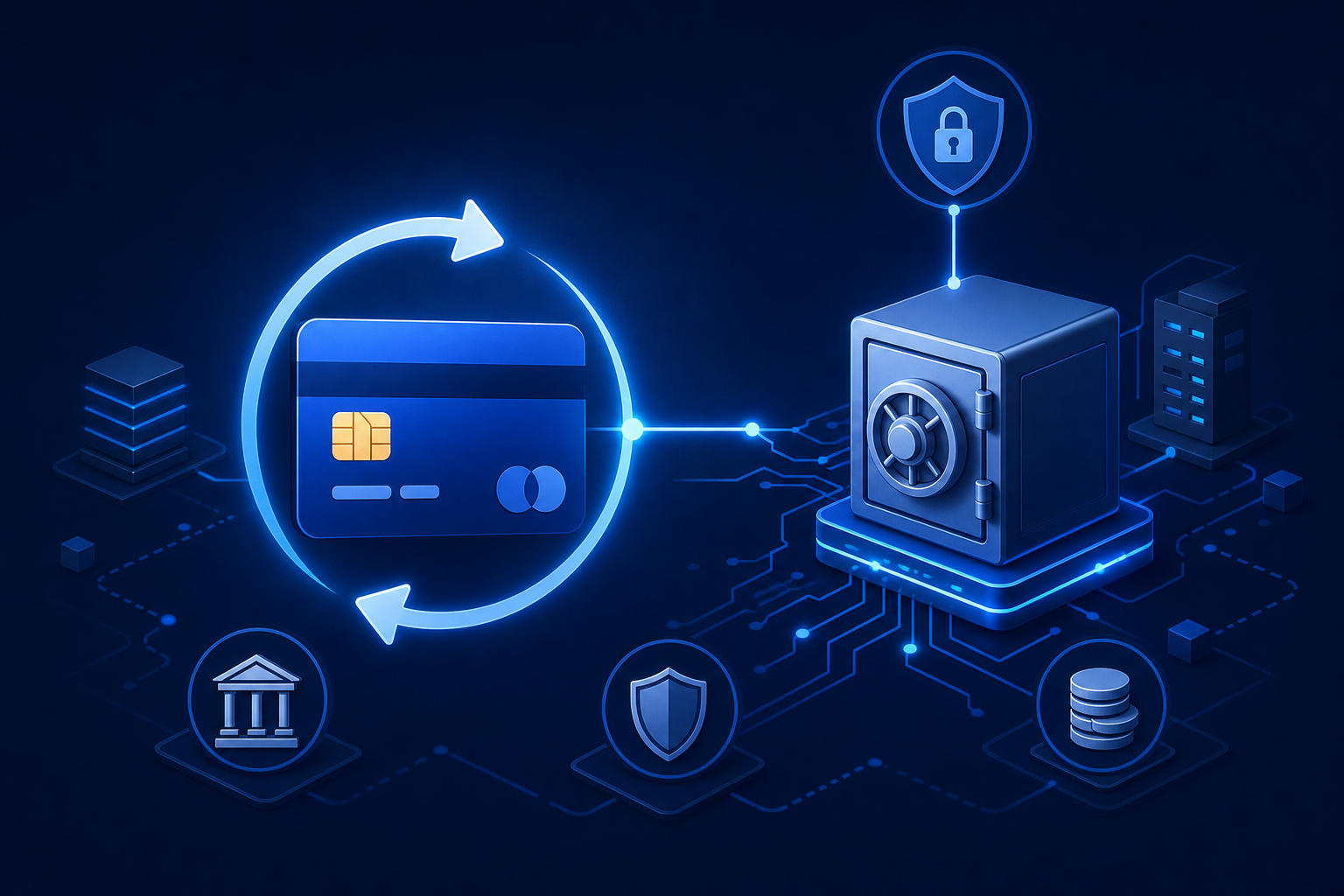
The card account updater connects to Visa and Mastercard batch networks to pull refreshed credentials automatically. When a bank reissues a card, Stripe retrieves the updated number or expiry before your next billing cycle runs. No retry needed, no email sent, no subscriber aware anything happened. Network tokens work differently: instead of storing a raw card number, Stripe generates a network-level token tied to the subscriber's account that updates in real time when the underlying card changes.
Both are on by default for Stripe Billing merchants, but coverage has limits. Smaller regional banks and credit unions often don't participate in card updater batch programs, and network token coverage, while broader, remains incomplete. For cards outside enrolled networks, neither mechanism fires and the decline lands in your retry queue as normal.
Prevention reduces retry volume, but doesn't eliminate it. Teams that rely on Stripe's updater layer without auditing issuer coverage will still see a residual decline rate from non-participating banks.
Visa and Mastercard Retry Rules That Govern Every Dunning Configuration
Card network rules set the ceiling on what any dunning configuration can do, no matter how your Stripe settings are arranged.
Visa caps retry attempts at 15 per 30 days per card and transaction amount. Mastercard limits retries on soft declines to 10 within a 24-hour window. Exceeding either threshold triggers per-attempt penalty fees ranging from $1 to $25, which compound fast at volume.
Mastercard also issues Merchant Advice Codes (MACs) at the transaction level, giving merchants specific instructions on whether and when to retry. MAC 03 means do not retry at all; MAC 24 through 30 prescribe specific waiting periods before the next attempt, ranging from 1 hour up to 10 days. Retrying against a MAC 03 instruction costs $0.10 per attempt.
Stripe's Smart Retries respect network limits internally, but the dashboard does not expose MAC-level routing to you directly. You set a retry count; Stripe handles the compliance layer. The consequence is that you cannot configure retry logic around specific MACs, and Stripe's handling of ambiguous codes is less granular than purpose-built recovery tools. More retries does not equal more recovery when network rules and hard declines limit which attempts can succeed.
Writing Dunning Emails That Recover Payments: Copy and Timing
A three-email sequence covers most of the recovery window: one email near the failure, one mid-window, one before cancellation.
Email 1: Within 24 Hours of the First Failed Attempt
Only send this if silent retry is unlikely to resolve the failure. A soft decline queued for a smart retry does not need an email yet. For hard declines where customer action is required, send immediately. Keep copy short: name the service, name what stops working, give one clear action. Specific subject lines drive opens. "Your [Product] payment didn't go through" consistently outperforms "Important account notice."
Email 2: Mid-Window Follow-Up (Days 7-10)
If the first email got no response and retries have not recovered the payment, a second touchpoint is warranted. Shift framing from "payment issue" to "your access." A media subscriber loses content; a SaaS subscriber loses data or seat access. Name it directly.
Email 3: Final Notice (48-72 Hours Before Cancellation)
State the cancellation date plainly and repeat the single call to action. One link, one step.
Copy Principles Across All Three
- Write from your brand, not from "billing." The sender name and domain should match what subscribers recognize. Example (Email 1, hard decline): Subject: “Action needed: update your payment method for [Product]” / Body: “Your [Product] payment didn’t go through and your card can’t be retried automatically. Update your payment method in 2 minutes to keep your access uninterrupted: [Update payment link].”
- Vary the message by failure type. Routing by failure reason dunning cadence means an expired card gets a card-update link while a stolen card gets a prompt to contact their bank. Sending identical copy for both wastes the email. Example (Email 2, expired card): Subject: “Your [Product] access is at risk: card expired” / Body: “We tried to renew your subscription but your card on file has expired. Add an updated card now to avoid losing access to [key feature]: [Update payment link].”
- Never send a dunning email on an invoice where a retry is actively scheduled and likely to succeed. Emailing a subscriber about a soft decline that resolves the next day erodes trust faster than the original failure did. Example (Email 3, final notice): Subject: “Final notice: [Product] cancels on [Date]” / Body: “Your subscription cancels in 48 hours unless your payment is updated. One step keeps your access: [Update payment link].”
Where Stripe's Native Dunning Reaches Its Limits
Stripe's built-in dunning covers the basics well enough for most early-stage subscription businesses. At higher volumes, four structural gaps start to cost real money.
- A complete subscription payment retry strategy requires hour-level timing, going well beyond date-level. Stripe's Smart Retries pick a day, which means they can miss the narrow authorization windows that matter most: many US debit cards see higher authorization rates around midnight when payroll deposits process, and month-end windows for European subscribers follow a similar pattern. Day-level scheduling leaves recoverable payments on the table.
- Emails are coupled to retry events by default. Every retry attempt can trigger a customer notification, so a subscriber facing multiple retry cycles receives multiple emails. At volume, that pattern reads as spam. Stripe's email controls let you reduce frequency, but decoupling retry cadence from email cadence entirely is not natively supported.
- Generic email copy depresses completion rates on hard declines in particular. When the recovery path requires a specific action, such as contacting the issuing bank for a stolen card versus adding a new expiry date, identical copy leaves the subscriber without a clear next step. Purpose-built recovery tools that branch by decline code typically see measurably higher customer-action completion rates on hard declines than a single-template approach.
- Performance measurement is the least visible gap. Without visibility into retry velocity limits and issuer caps, Stripe reports failed payments and recovered invoices but does not separate how much recovery came from retries, the card updater, or customer action. Finance teams trying to measure true recovery lift have no native attribution tool, which makes it hard to diagnose why performance is declining or make a credible case for further investment.
Measuring Dunning Performance: Metrics That Signal What Is Working
Recovery rate is the obvious headline metric, but the most common version of it misleads. Dividing recovered invoices by all failed invoices conflates retryable soft declines with hard declines that require customer action. The metric you want is attempted recovery rate: recovered invoices divided by invoices where recovery was actually possible.
Track recovery broken down by decline code category. Soft declines (insufficient funds, generic declines) and hard declines (stolen cards, closed accounts) have fundamentally different recovery ceilings. Mixing them obscures whether your retry logic or your email sequence is the weaker link.
A healthy recovery distribution concentrates in the first week, with a meaningful secondary wave in week two and a smaller but real share in days fourteen through twenty-one. If your distribution skews flat across all three weeks, retry timing likely needs adjustment.
Stripe's dashboard surfaces failure reasons and recovered invoice counts, but won't break recovery down by day elapsed or by the mechanism that drove it. Export your invoice data and build a cohort view: failure date in rows, recovery date in columns, with counts. That view shows where your configuration is actually working.
Give any configuration change enough volume before drawing conclusions. Teams building a subscription revenue recovery strategy should note that a week of data after changing retry count is rarely sufficient to separate signal from normal variance.
How Slicker Extends Stripe Dunning for High-Volume Subscription Teams
Stripe's native dunning is a solid foundation. For high-volume subscription teams, it stops being enough.
Slicker is an official Stripe App Marketplace partner that layers directly onto Stripe Billing without touching your existing infrastructure. Setup takes under 5 minutes with no engineering involvement. Where Stripe Smart Retries schedule at the date level, Slicker's retry engine works at the hour, aligning each attempt to payday cycles, issuer authorization windows, and card-type signals using an ensemble of AI models weighing over 40 variables per transaction.
Dunning emails send from your domain and are tailored to the specific failure reason: a stolen card triggers a fraud-alert prompt to contact the issuing bank; an expired card gets an update request. Stripe's default sends the same email for both, leaving recovery on the table.
Performance is measured through AABB testing, a crossover methodology borrowed from clinical trials. Slicker splits traffic between Stripe's native retry logic and its own AI, measures recovery in actual dollars with statistical significance, and pricing only applies after Slicker outperforms. If it doesn't beat Stripe's baseline with statistical certainty, you don't pay.
Final Thoughts on Stripe Dunning and Recovering Failed Subscription Payments
A well-configured Stripe dunning setup handles the basics, and for a lot of teams that's enough to start. But retry timing at the day level, generic decline emails, and no attribution data are real ceilings that show up as you scale. Getting the configuration right closes the easy gaps; going further closes the costly ones. If you want to pressure-test your current setup against a more granular recovery approach, reach out to the Slicker team.
FAQs
How do Slicker's retries work alongside Stripe Smart Retries, and what Stripe settings need to be configured to avoid conflicts?
Slicker runs an AABB test that splits failed payments between Stripe's native retry logic and Slicker's AI, so both systems operate in parallel during evaluation. The configuration step that most teams miss is Stripe's subscription cancellation setting: if Stripe is set to cancel after 7 days but Slicker's retry window runs 21 days, Stripe closes the subscription before Slicker's later attempts fire. Your cancellation grace period in Stripe must be extended to match Slicker's full retry window, and for full orchestration deployments where Slicker manages complex subscription logic, Stripe Smart Retries must be disabled entirely to prevent conflicts.
What tools should a SaaS CFO use to recover lost revenue from failed payments in 2026?
The highest-return approach combines three layers: a card account updater to prevent credential-based declines before they happen, AI-powered smart retries timed to issuer authorization windows and payday cycles (not a fixed date schedule), and failure-reason-specific dunning emails that tell subscribers precisely what action their situation requires. Stripe Billing covers the basics with its built-in card updater and Smart Retries, but hour-level retry timing, decline-code-branched email copy, and attribution reporting that separates retry recoveries from card updater recoveries require a purpose-built recovery layer on top.
How do I avoid Visa and Mastercard retry fees when retrying failed subscription payments?
Stop before you retry: Visa caps attempts at 15 per 30 days per card and transaction amount, and Mastercard limits soft-decline retries to 10 within 24 hours, with penalties ranging from $1 to $25 per excess attempt. Mastercard also charges $0.10 per attempt when you retry after receiving MAC 03, its hard-stop code. The practical guardrail is reading the decline code before queuing a retry: hard declines and MACs instructing you not to retry should stop your sequence immediately, not consume quota that compliance rules will penalize.
How does Slicker handle dunning emails differently from Stripe's built-in payment notifications?
Stripe sends payment failure emails from Stripe's own infrastructure by default, with identical copy regardless of why the payment failed. Slicker sends from your own domain and branches the message by decline code: a stolen card triggers a fraud-alert prompt to contact the issuing bank, while an expired card gets a straightforward update request. Retry cadence and email cadence are also decoupled, so a subscriber facing multiple retry cycles does not receive a notification after each attempt, which reduces the spam signal that damages deliverability and subscriber trust at volume.
What technical setup does Slicker require on Stripe, and can payment recovery settings be managed without engineering involvement?
Slicker connects to Stripe Billing via API keys added through the Slicker dashboard, with no code changes to your existing payment infrastructure. Setup takes under 5 minutes and recoveries flow through your existing Stripe rails, indistinguishable from regular payments. The one configuration step that does require attention is extending Stripe's subscription cancellation grace period to align with Slicker's retry window, which is done in Stripe's settings and not in Slicker, and maximum retry counts in Slicker's settings UI are self-serve and adjustable without involving Slicker's team.
Related Articles

Stripe Recovery Add-On Evaluation Guide (September 2026)
Stripe's built-in recovery tools cover real ground. Smart Retries, Account Updater, dunning emails. For a lot of subscription businesses, that's a reasonable...

What Subscription Operators Miss About Built-In Retries (Oct 2026)
If your billing platform retries run on a fixed 14-to-21-day countdown from the failure date, they have no idea when your subscriber's paycheck actually...

Failed Payments as a Board-Level Revenue KPI (Oct 2026)
Failed payment recovery tends to live in finance ops reviews, not board decks. That's usually because it's reported as a process metric and not a revenue...
Stop losing revenue to failed payments
Join leading subscription businesses using Slicker to recover failed payments automatically.
Get Started