Authentication Required Declines on Subscription Renewals: SCA, MIT Exemptions and Recovery
A renewal that has charged cleanly for a year suddenly comes back declined with authentication_required. The card is valid, the customer has money, and nobody asked to cancel. The bank simply wants the cardholder to prove it is them, and the cardholder is not there, because a renewal runs while they are asleep.
This decline is one of the most common failure modes for subscription businesses selling into the European Economic Area and the UK, and it behaves differently from almost every other soft decline. Retrying it on a schedule does nothing. Recovering it needs the customer, and preventing it depends on how the card was saved in the first place.
TLDR:
authentication_requiredmeans the issuer wants Strong Customer Authentication (SCA), usually 3D Secure, before it will approve the charge.- Renewals are merchant-initiated transactions (MITs) and normally fall outside SCA, but only if the card was authenticated when it was saved and the payment is flagged correctly.
- Retrying without the customer will not work; Stripe treats
authentication_requiredas a decline it does not retry automatically. - Recovery means bringing the customer on-session quickly, with a message that explains the bank's request and a one-click authentication page.
- Slicker separates these failures from ordinary soft declines, skips pointless retries, and sends a hyper-personalized authentication email from your own domain.
What an Authentication Required Decline Means
Stripe's decline code reference describes authentication_required as a card declined "because the transaction requires authentication such as 3D Secure." On-session, Stripe's front ends usually start an authentication flow automatically. For off-session payments such as renewals, Stripe notes you might need to ask the customer to come back and retry.
Networks and acquirers express the same request in their own codes. Worldline's guide to soft declines, for example, describes the response code 1A returned by the acquirer when authentication is missing. Whatever your processor calls it, the meaning is the same: the issuer will approve this payment only if the cardholder completes SCA.
A related code, authentication_not_handled, means the customer was asked to authenticate and did not. Treat both as the same recovery problem.
Why Subscription Renewals Hit SCA at All
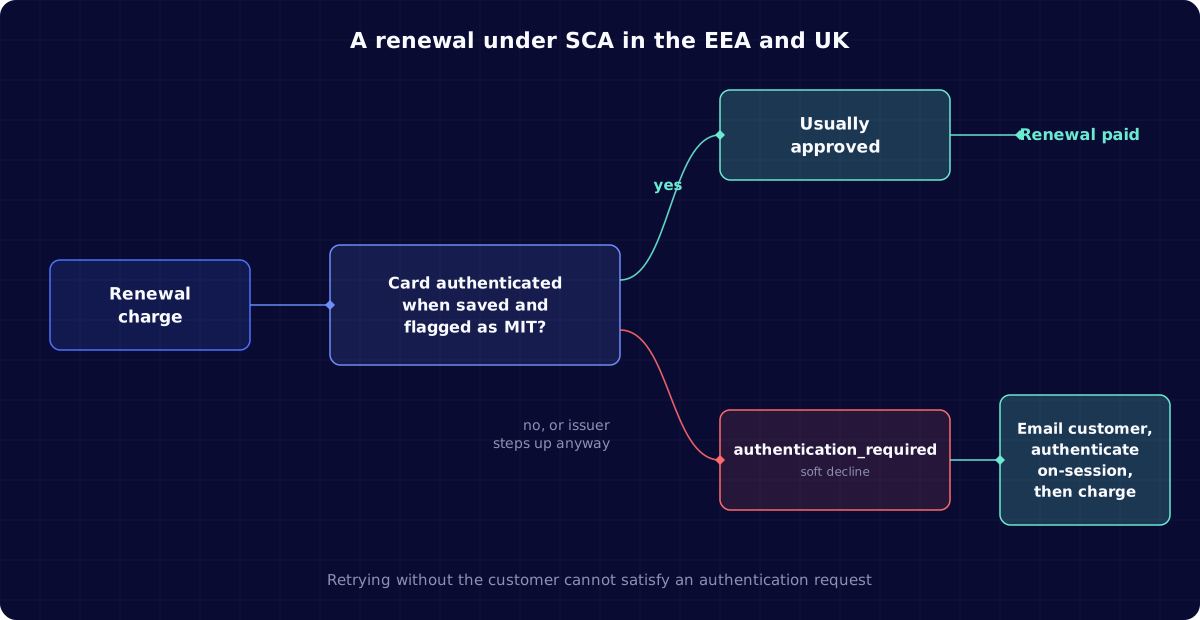
Under PSD2 in the EEA and its UK equivalent, customer-initiated card payments generally need SCA. Renewals are different. Stripe's SCA guidance for recurring revenue businesses explains that renewals can qualify as merchant-initiated or fixed-amount subscription payments when the payment method was authenticated at signup.
So a renewal that hits authentication_required usually means one of these broke:
- The card was saved without authentication. Older integrations, imported cards, or cards added through a flow that skipped 3D Secure never established the mandate.
- The payment was not flagged as merchant-initiated. If the charge goes out looking like a customer-present transaction, the issuer applies SCA rules for one.
- The issuer decided to step up anyway. Exemptions and MIT flags are requests. The issuer has the final say and can still ask for authentication.
- Something changed. A replaced card, a much larger amount after an upgrade, or a move between processors can make the issuer treat the renewal as new.
SCA Exemptions and the MIT Rule for Recurring Payments
It helps to know which exemptions exist, because they explain why some renewals sail through and others do not. The figures below come from Stripe's documentation on SCA exemptions, which applies to the EEA, Switzerland and the UK.
| Exemption | When it applies | What can still go wrong |
|---|---|---|
| Merchant-initiated transaction | Saved card, customer not present, card authenticated when saved, mandate agreed | Card never authenticated, or charge not flagged as MIT |
| Low value | Under 30 EUR (25 GBP) | Issuer can require SCA after 100 EUR cumulative or five transactions since the last SCA |
| Transaction risk analysis | Provider's fraud rate below thresholds: 0.13% up to 100 EUR, 0.06% up to 250 EUR, 0.01% up to 500 EUR | Issuer can decline the exemption request |
| Fixed-amount subscription | Same amount, same merchant, after an authenticated first payment | Price changes or plan upgrades can break the pattern |
Stripe's exemptions documentation is explicit that marking a payment as MIT is "similar to requesting an exemption." It reduces friction, but it is never a guarantee.
Why Retrying Authentication Required Declines Does Not Work
Most soft declines get better with time: funds arrive on payday, a temporary hold clears, an issuer comes back online. Authentication requests do not. The issuer is asking for something only the cardholder can provide, and an unattended retry cannot provide it.
Stripe's automated retry documentation lists authentication_required among the codes it does not retry automatically. Retries stay scheduled but execute only once a new payment method is detected. If your own retry logic or another tool keeps re-sending these charges, you burn attempts against the card networks' reattempt limits and may annoy the issuer's risk system, with almost no chance of approval.
The right move is to classify the decline as "needs customer" from the first response, and switch straight to outreach. The soft vs hard decline guide explains why this category sits between the two.
How to Recover an Authentication Required Decline
Recovery is a short, well-timed conversation with the customer. Four parts matter.
Contact the customer quickly
Every day the renewal stays unpaid is a day the customer may hit a paywall or forget why they signed up. Send the first message soon after the decline, at a sensible local hour, rather than waiting for a generic dunning sequence to reach it.
Explain the bank's request in plain words
Customers often read "authentication required" as "your card was declined" and assume something is wrong. Say clearly that their bank is asking them to confirm the payment, that their card has not been blocked, and that it takes one step. The payment failure email copy guide has examples of failure-specific wording.
Link to a page that starts authentication
The link should open a page where the outstanding invoice is ready to pay and the 3D Secure challenge starts immediately. Do not send customers to a generic account settings page and make them hunt.
Retry only after authentication succeeds
Once the cardholder completes the challenge, the payment can be confirmed on-session, and the card can be saved with a fresh mandate for future renewals. If the customer authenticates and the issuer still declines, Stripe notes the customer needs to contact their bank.
Writing the Authentication Email
A good authentication email is short, specific and from you. A workable structure:
- Subject: a clear request, such as "Your bank needs you to confirm your [Brand] payment"
- First line: what happened and that nothing is wrong with the account
- Button: "Confirm payment" leading straight to the authentication page
- Reassurance: one sentence on why banks ask for this, mentioning that the code or app prompt comes from their bank
- Fallback: an alternative payment method link if they cannot authenticate
Send it from your own domain, with your brand and a recognizable sender name. Authentication messages already ask customers to trust an unusual prompt; a message that looks like it came from an unfamiliar processor makes that harder. See the dunning email sender domain best practices for setup details.
When the Customer Does Not Authenticate
Some customers will ignore the first message, and some will try and fail. Plan the next steps before you need them, so the subscription does not quietly lapse.
- Send a follow-up, not a flood. One or two reminders spaced a few days apart, each saying the same simple thing, work better than a daily sequence. The dunning email fatigue guide explains why fewer, better-timed messages recover more.
- Offer another way to pay. If a customer cannot complete the challenge, perhaps because they changed phone numbers or lost access to their banking app, let them add a different card or payment method on the same page.
- Use a grace period deliberately. Keep access open for a defined window while outreach runs. Cutting access on the first decline punishes a customer whose bank caused the problem.
- Escalate high-value accounts. For B2B plans, a short note to the billing contact or account owner often clears an authentication request faster than another automated email.
Track how many customers authenticate after each touch. If most completions come from the first email, spend your effort on making that one clearer rather than adding more reminders.
Preventing Authentication Required Declines at Signup
The cheapest recovery is the one you never need. Prevention happens when the card is first saved.
- Authenticate when you save the card. Run 3D Secure on the first payment or on a setup flow, and record the customer's agreement to future charges.
- Flag renewals as merchant-initiated. Use your processor's off-session or MIT flags on every renewal so the issuer sees an authorized recurring pattern.
- Re-authenticate on material changes. When a customer upgrades to a much higher price or changes billing frequency, consider bringing them on-session at that moment rather than letting the renewal fail later.
- Use network tokens and card updaters. Fewer card replacements mean fewer renewals that look new to the issuer. The post on network tokens and card updaters explains how they fit together.
- Check imported cards. Cards migrated from another processor may lack the original authentication data. Plan for a wave of authentication requests after a migration.
Tracking SCA Declines in Your Payment Data
Stripe's recurring SCA guidance recommends tracking how many payments require SCA and how many authentications succeed or fail, so you can catch spikes early. In practice, track these by country, issuer and billing cadence:
| Metric | Why it matters |
|---|---|
Share of renewals declined with authentication_required | Baseline for SCA friction; a jump points to an integration or issuer change |
| Authentication completion rate after outreach | Shows whether your emails and pages work |
| Time from decline to authentication | Long gaps increase the chance of cancellation |
| Re-decline rate after successful authentication | Separates issuer problems from customer problems |
| Share of failures from imported or legacy cards | Tells you where re-authentication campaigns will pay off |
A sudden rise usually traces to one cause: a processor change, a new market, a release that dropped an MIT flag, or one issuer tightening its rules. The decline code lookup for Stripe can help your team map raw codes while investigating.
How SCA Compares With India's RBI Authentication Rules
Teams selling globally sometimes confuse SCA with India's recurring payment rules. Both ask for cardholder authentication, but they work differently. Under the RBI framework, recurring card charges need an e-mandate registered with additional factor authentication, with pre-debit notifications and limits above which each charge needs approval. Stripe does not retry India-issued cards automatically at all.
The recovery playbook is related but not identical, and the RBI approval required decline guide covers it separately. If you sell in both regions, keep the two failure types apart in your reporting and your messaging.
How Slicker Handles Authentication Required Declines
Slicker reads the decline code, network response and card context on every failed payment. Authentication requests are classified as "customer action required" from the first response, so Slicker does not spend smart retries on charges that cannot succeed without the cardholder.
Instead, Slicker sends a hyper-personalized dunning email from your own domain that explains the bank's request in plain words and links to a one-click page where the customer can authenticate and pay. Emails are timed independently of retries, and Slicker measures the result with AABB testing so you can see the incremental revenue recovered from SCA failures. More on how Slicker treats temporary failures is on the soft declines solution page.
Final Thoughts on Authentication Required Declines
authentication_required looks like a soft decline, but it behaves like a request for the customer. Treating it as just another retryable failure wastes attempts and delays the one action that recovers the payment.
Fix the prevention side first: authenticate cards when you save them and flag renewals as merchant-initiated. Then make recovery fast and clear, with a short, branded message and a page that starts authentication immediately. If you want to see how many of your renewals fail this way, and how many could be recovered, talk to the Slicker team.
FAQ
What does authentication_required mean on a subscription renewal?
It means the card issuer wants the cardholder to complete Strong Customer Authentication, usually 3D Secure, before it approves the renewal. Because the customer is not present during a renewal, the payment cannot complete until they come back on-session and authenticate.
Do recurring subscription payments need SCA in Europe?
Not usually. Renewals can be treated as merchant-initiated transactions and fall outside SCA if the card was authenticated when it was saved and the customer agreed to future charges. Issuers can still ask for authentication, so your flow must be able to handle it.
Should I retry a payment that failed with authentication required?
No, not without the customer. A scheduled retry cannot satisfy an authentication request, and Stripe does not retry these declines automatically. Contact the customer and retry after they complete authentication.
How do I reduce authentication required declines on renewals?
Authenticate the card when you first save it, flag every renewal as merchant-initiated or off-session, re-authenticate when the price or cadence changes significantly, and keep card details fresh with network tokens and card updaters. Check imported cards after any processor migration.
How does Slicker recover SCA authentication failures?
Slicker classifies authentication requests as needing customer action, skips retries that cannot succeed, and sends a failure-specific email from your domain with a one-click authentication page. Its AABB testing shows how much of that recovery is incremental compared with your current setup.
Related Articles
Stripe Smart Retries Alternatives for Subscription Businesses (October 2026)
You turned on Stripe Smart Retries because it was free, it was one toggle, and Stripe said it beats a fixed schedule. Months later your past-due list still...
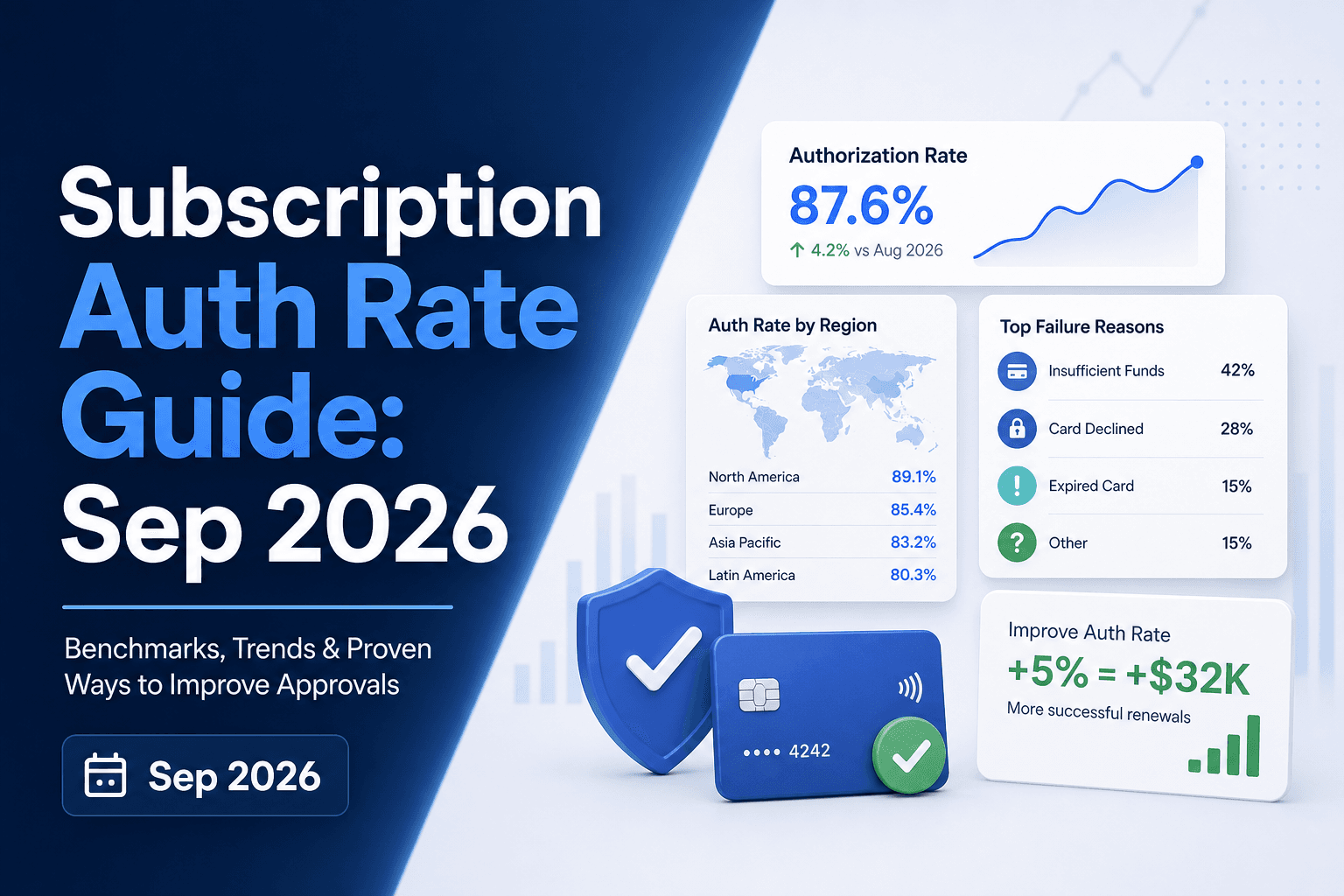
Authorization Rate in Subscription Billing: October 2026
There's a number sitting in your payments data that most finance and retention teams never report on separately: the share of renewal charges your issuing...
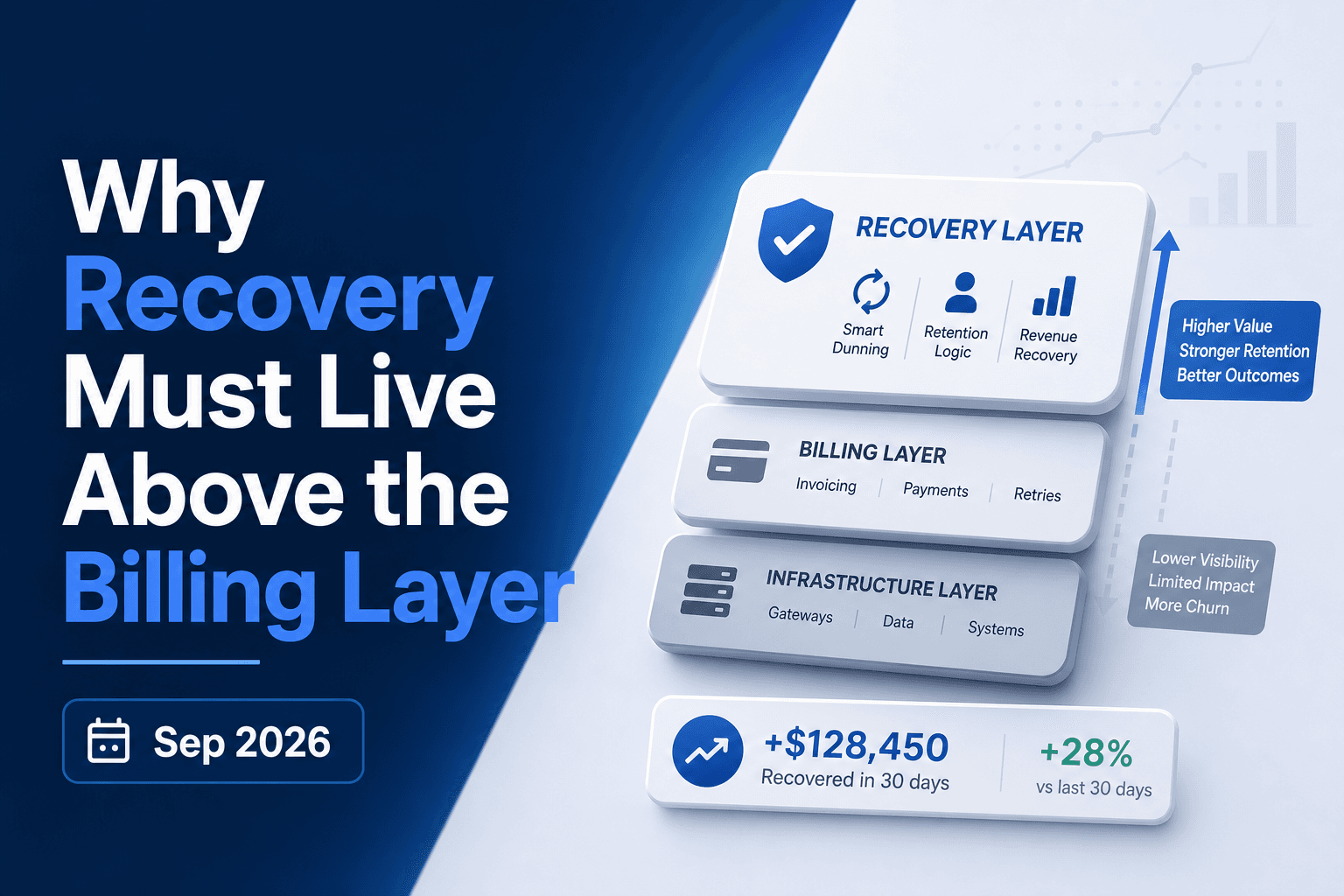
Why Payment Recovery Must Live Above Billers October 2026
A payment fails. Your biller retries it three days later, then again at seven, then at fourteen. What the biller never checks is whether the issuer sent a...
Stop losing revenue to failed payments
Join leading subscription businesses using Slicker to recover failed payments automatically.
Get Started